Microsoft 365 E7: The All-in-One Licensing Bundle
Let’s be honest, licensing has never been Microsoft’s strong suit. I’ve spent more hours than I care to admit explaining to clients why they need E5 + Copilot + Entra Suite + a half-dozen other add-ons just to get a complete security and productivity stack. It’s been a mess. A profitable mess for Microsoft, sure, but a mess nonetheless.
That appears to be exactly what E7 is trying to solve. Announced in March 2026 and hitting general availability on 1 May 2026, this isn’t just another SKU. It’s Microsoft finally admitting that stitching together licenses is a bad experience and offering a genuine all-in-one alternative.
What Exactly Is E7?
At its core, E7 is Microsoft’s top-tier enterprise bundle. It takes everything in E5 — which was already the “everything” plan — and layers on the components that most large organisations were buying separately anyway.
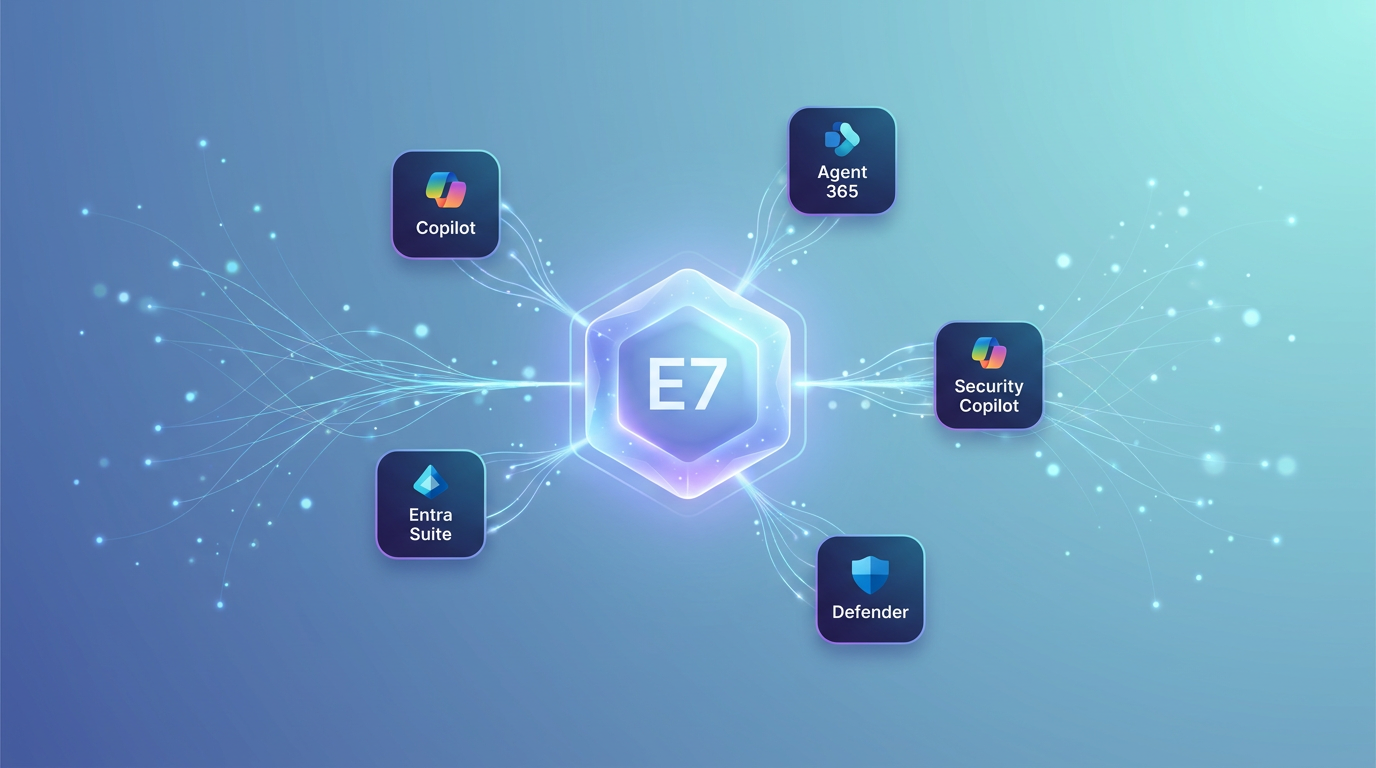
Here’s what the stack actually includes:
- Microsoft 365 E5 — All the productivity apps, Defender for Endpoint (Plan 2), Defender for Office 365 (Plan 2), Azure Information Protection (Plan 2), Entra ID (Plan 2), Intune (Plan 1), and the full audit and eDiscovery Premium tooling. For certificate management on Intune devices without on-prem NDES, see Microsoft Cloud PKI for Intune.
- Microsoft 365 Copilot — The full Copilot experience across Word, Excel, PowerPoint, Outlook, Teams, and Loop. Not just Copilot Chat — the actual embedded agent that can draft documents, analyse spreadsheets, and summarise email threads. This was previously a separate purchase.
- Microsoft Entra Suite — This bundles Entra ID Protection, Entra ID Governance, Entra Internet Access, Entra Private Access, and Entra Verified ID. For organisations running Zero Trust architectures, this was already a must-have add-on.
- Security Copilot — The AI-powered security operations assistant. Microsoft announced this is coming to E5 in the coming months. It integrates with Defender XDR to triage alerts, analyse scripts, and hunt threats using natural language.
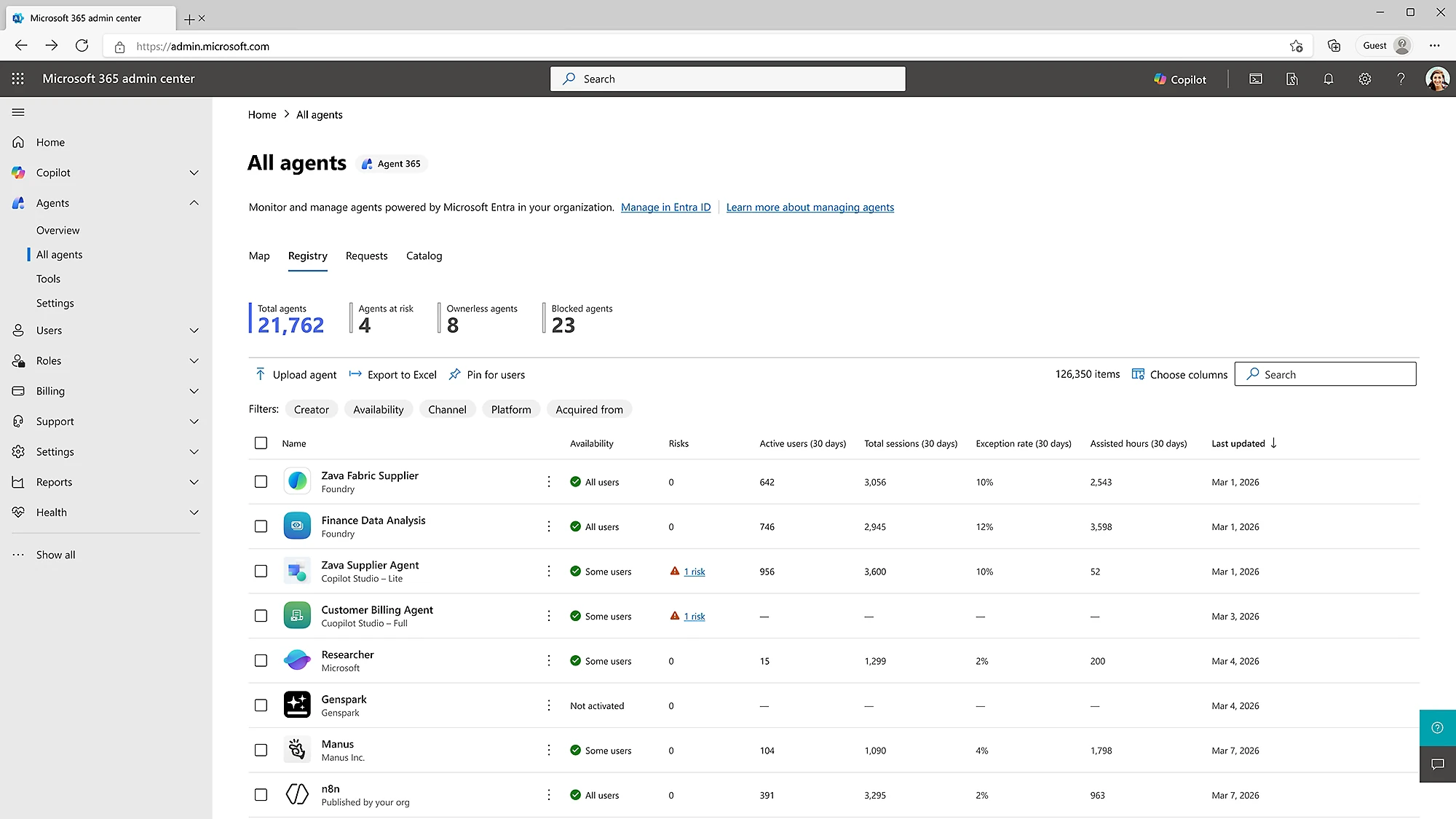
- Agent 365 — This is the new one. A control plane for observing, governing, and securing AI agents across Microsoft 365 and third-party services. If you’re building or deploying custom Copilot Studio agents (or any MCP-compatible agents), this gives you centralised lifecycle management, compliance boundaries, and security policy enforcement.
🔍 How Does It Compare to M365 E3 and M365 E5?
I’ve always described M365 E3 as “the starter pack that isn’t really a starter pack” and E5 as “the one IT wants but finance questions.” E7 is firmly in “the one the C-suite asks about after reading a Gartner report” territory.
| Feature | E3 | E5 | E7 Frontier |
|---|---|---|---|
| Core Office apps | ✅ | ✅ | ✅ |
| Exchange Online P2 | ❌ | ✅ | ✅ |
| Defender for Endpoint P2 | ❌ | ✅ | ✅ |
| Defender for Office 365 P2 | ❌ | ✅ | ✅ |
| Azure Info Protection P2 | ❌ | ✅ | ✅ |
| Entra ID P2 | ❌ | ✅ | ✅ |
| Microsoft 365 Copilot | ❌ | ❌ | ✅ |
| Security Copilot | ❌ | Coming soon | Coming soon |
| Entra Suite | ❌ | ❌ | ✅ |
| Agent 365 | ❌ | ❌ | ✅ |
The jump from E5 to E7 isn’t incremental — it’s transformational. E5 gives you security and compliance. E7 gives you intelligence, automation, and agent governance on top of that foundation.
Who Is E7 Actually For?
Let’s be clear: E7 is not for everyone. If you’re a 50-person shop running E3 happily, this is not your next move. Microsoft knows this — the whole pitch is aimed at enterprises that are already buying most of these components separately and want simplification.
E7 makes sense if:
- You’re already licensing E5 + Copilot + Entra Suite — The bundle eliminates the SKU sprawl and, more importantly, the integration gaps that come from mixing and matching licenses.
- You’re deploying Copilot Studio agents — Agent 365 is only available in E7 (and F7 for frontline).
- You’re serious aboutZero Trust — Entra Suite in E7 gives you identity protection, secure network access, and Verified ID without separate procurement cycles.
- Your security team is drowning in alerts — Security Copilot integrated across Defender XDR is genuinely useful for tier-1 triage.
E7 is probably overkill if:
- You’re on E3 and don’t use advanced security features
- Your Copilot usage is limited to Chat (not the full embedded experience)
- You don’t have dedicated security operations staff
- You’re not yet running agent-based workflows
The Fine Print
No Microsoft licensing change arrives without caveats. Here’s what to watch:
- Metered Copilot Studio usage — E7 includes the Agent 365 control plane and Copilot Studio for Teams chatbots, but heavy agent execution (especially multi-turn conversations or external API calls) may still incur metered consumption charges. Read: the base license gets you governance, not unlimited execution.
- Security Copilot inclusion timeline — Microsoft says E5 will include Security Copilot “in the coming months.” If you’re an E5 shop considering E7 purely for Security Copilot, it might be worth waiting to see how that rolls out.
- Frontier features change — By definition, Frontier capabilities are pre-GA. What’s available today might change, and Microsoft has been clear that not all Frontier features graduate to general availability. If you build processes around Cowork or specific agent behaviours, have a fallback plan.
What About Frontline Workers?
Microsoft isn’t leaving frontline teams behind — there’s an F7 Frontier Suite that mirrors E7 for firstline workers. It includes the same core security, compliance, and AI capabilities but swaps desktop Office apps for the web/mobile versions and adds Shifts, Bookings, and Walkie Talkie for field operations.
If you’ve got warehouse staff, retail teams, or healthcare workers on the frontline, F7 gives them the same agent governance and security posture as your desk workers without paying for Word and Excel they might never open. Smart move by Microsoft — consistency across the workforce without over-licensing.
The Experience (So Far)
The Good:
- One invoice instead of four — The bundle genuinely simplifies procurement. Finance teams love this.
- Agent governance is real — Agent 365 gives you audit trails of what your Copilot Studio agents are doing, which APIs they’re calling, and what data they’re accessing. For regulated industries, that’s essential.
- Entra Suite is finally cohesive — Before E7, Entra Suite felt like a collection of separate products. The unified licensing seems to have pushed Microsoft to integrate the experiences better.
The Caveats:
- Learning curve is steep — Giving users Copilot, Security Copilot, and autonomous agents all at once is a lot. Change management isn’t optional here.
- Over-licensing risk — E7 is comprehensive. If your users only need 30% of what’s included, you’re paying for a lot of shelfware. Audit actual usage before committing.
- Third-party agent support is limited — Agent 365 supports MCP-compatible agents, but the ecosystem is still young. Don’t expect to govern every random AI tool your teams adopt.
Practical Guidance: Should You Move to E7?
Here’s my decision framework after reviewing the feature set and talking to early adopters:
Move to E7 if:
- You’re already spending on E5 + Copilot + Entra Suite separately
- Your security team is asking for Security Copilot and you don’t want to wait for E5 inclusion
- You need centralised governance for AI agents (compliance, audit, lifecycle)
- You’re standardising on a single enterprise SKU to reduce licensing complexity
Stay on E5 if:
- You’re not using Copilot embedded (just Copilot Chat or nothing)
- Your Entra needs are met by ID Plan 2 without Internet/Private Access
- You’re watching budgets closely and Security Copilot on E5 is sufficient
- You don’t have agent development in your 12-month roadmap
Consider E3 + selective add-ons if:
- You’re under 500 users
- Advanced compliance and threat protection aren’t core requirements
- You want Copilot Chat but not the full agent experience
The Bigger Picture
Microsoft 365 E7 isn’t just a new SKU. It’s Microsoft’s bet on where enterprise IT is heading. The inclusion of Agent 365 signals that Microsoft believes every organisation will be running AI agents within the next few years, and they want to be the platform that governs them.
The bundling strategy is also a competitive move. Google Workspace has been gaining ground with simpler packaging, and Microsoft’s response is essentially: “You want simple? Here’s everything in one box.”
Whether that’s good value depends entirely on whether you’ll use everything in the box. I’ve seen too many organisations buy E5 for “advanced security” and never configure more than basic Defender policies. E7 would be an expensive repeat of that mistake.
But if you’re actively building with Copilot Studio, running Zero Trust, and looking for unified AI governance — E7 isn’t just a bundle. It’s the first SKU that treats AI as infrastructure rather than an add-on.